
Components
Marquee
A smooth scrolling marquee component (also known as scroll text animation) for displaying continuous text or content in Expo React Native. Learn how to use Marquee with examples and API documentation.
Installation
npx expo-app-ui add marquee:::note The marquee component is self-contained and doesn't require any external dependencies. :::
Usage
import Marquee from "@/components/ui/marquee";

<Marquee duration={2000}>
  <Text>Scrolling text content</Text>
</Marquee>
Complete Example
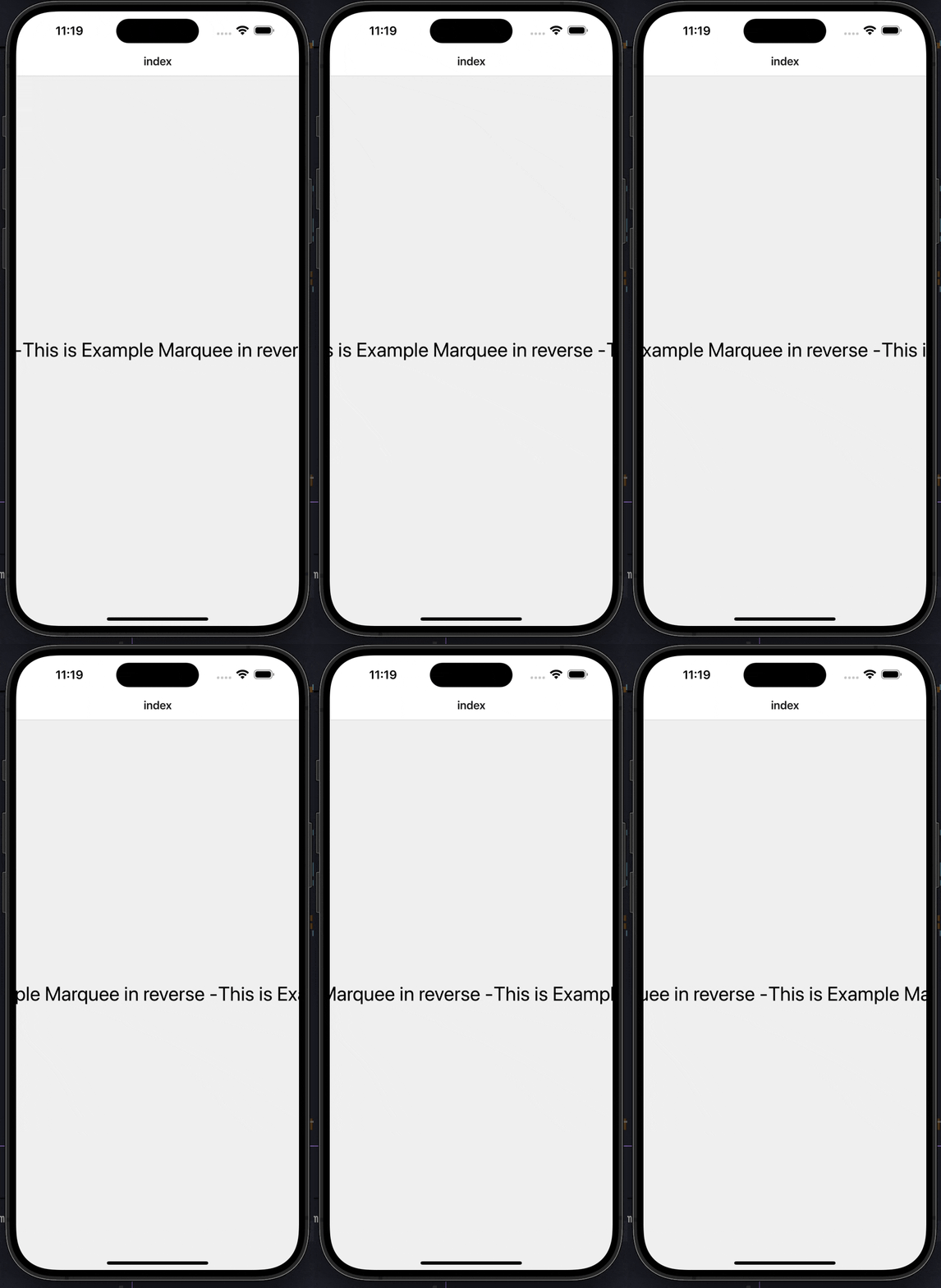
Here's a complete example showing how to use the marquee component:
import CustomText from "@/components/ui/custom-text";
import Marquee from "@/components/ui/marquee";
import { useState } from "react";
import { StyleSheet, View } from "react-native";

export default function Index() {
  const [isModalVisible, setIsModalVisible] = useState(false);

  return (
    <View
      style={{
        flex: 1,
        justifyContent: "center",
        alignItems: "center",
      }}
    >
      <View style={styles.marqueeWrapper}>
        <Marquee reverse duration={12000} style={styles.marqueeContainer}>
          <CustomText
            color={"black"}
            fontSize={30}
          >
            This is Example Marquee in reverse -
          </CustomText>
        </Marquee>
      </View>
    </View>
  );
}

const styles = StyleSheet.create({
  marqueeWrapper: {
    flexDirection: "row",
    justifyContent: "space-between",
    alignItems: "center",
    gap: 10,
    paddingVertical: 6,
  },
  marqueeContainer: {
    width: "100%",
  },
});
Props
| Prop | Type | Default | Description |
|---|---|---|---|
children | React.ReactNode | Required | Content to scroll (e.g., <Text> or <Image>) |
duration | number | 2000 | Duration of one full animation cycle in milliseconds. Higher number means slower speed. |
reverse | boolean | false | Reverse the direction of the scroll (right to left) |
style | StyleProp<ViewStyle> | - | Optional styling for the container View |
Examples
Basic Marquee
import Marquee from "@/components/ui/marquee";
import CustomText from "@/components/ui/custom-text";

<Marquee>
  <CustomText fontSize={20}>Scrolling text content</CustomText>
</Marquee>
Reverse Direction
<Marquee reverse duration={12000}>
  <CustomText fontSize={30} color="black">
    This is Example Marquee in reverse -
  </CustomText>
</Marquee>
Custom Duration
{/* Slower scroll (longer duration) */}
<Marquee duration={5000}>
  <CustomText>Slow scrolling text</CustomText>
</Marquee>

{/* Faster scroll (shorter duration) */}
<Marquee duration={1000}>
  <CustomText>Fast scrolling text</CustomText>
</Marquee>
With Images
<Marquee duration={3000}>
  <Image source={require('./logo.png')} style={{ width: 100, height: 50 }} />
</Marquee>
Features
- Smooth Continuous Scrolling: Seamless infinite scroll animation
- Configurable Speed: Control scroll speed with
durationprop (higher = slower) - Bidirectional Scrolling: Support for both left-to-right and right-to-left (reverse)
- 60fps Performance: Built with React Native Reanimated for smooth animations
- Flexible Content: Works with any React Native component (Text, Image, etc.)
- Auto-Detection: Automatically detects content width and creates seamless loops
- No Dependencies: Self-contained component with no external dependencies
Notes
- The component automatically measures content width and creates enough clones for seamless scrolling
- Higher
durationvalues result in slower scrolling speed - The component only scrolls if content width exceeds container width
- Also known as "scroll text animation" or "ticker text"
- Built with React Native Reanimated for optimal performance
Loading Bar & Top Loading Bar Context
A top loading bar component with React Context for managing loading state across your Expo React Native application. Complete setup guide with examples.
Auto Scroll Cards
A carousel component with auto-scrolling, manual swipe, and indicator support for Expo React Native. Learn how to use AutoScrollCards with examples and API documentation.